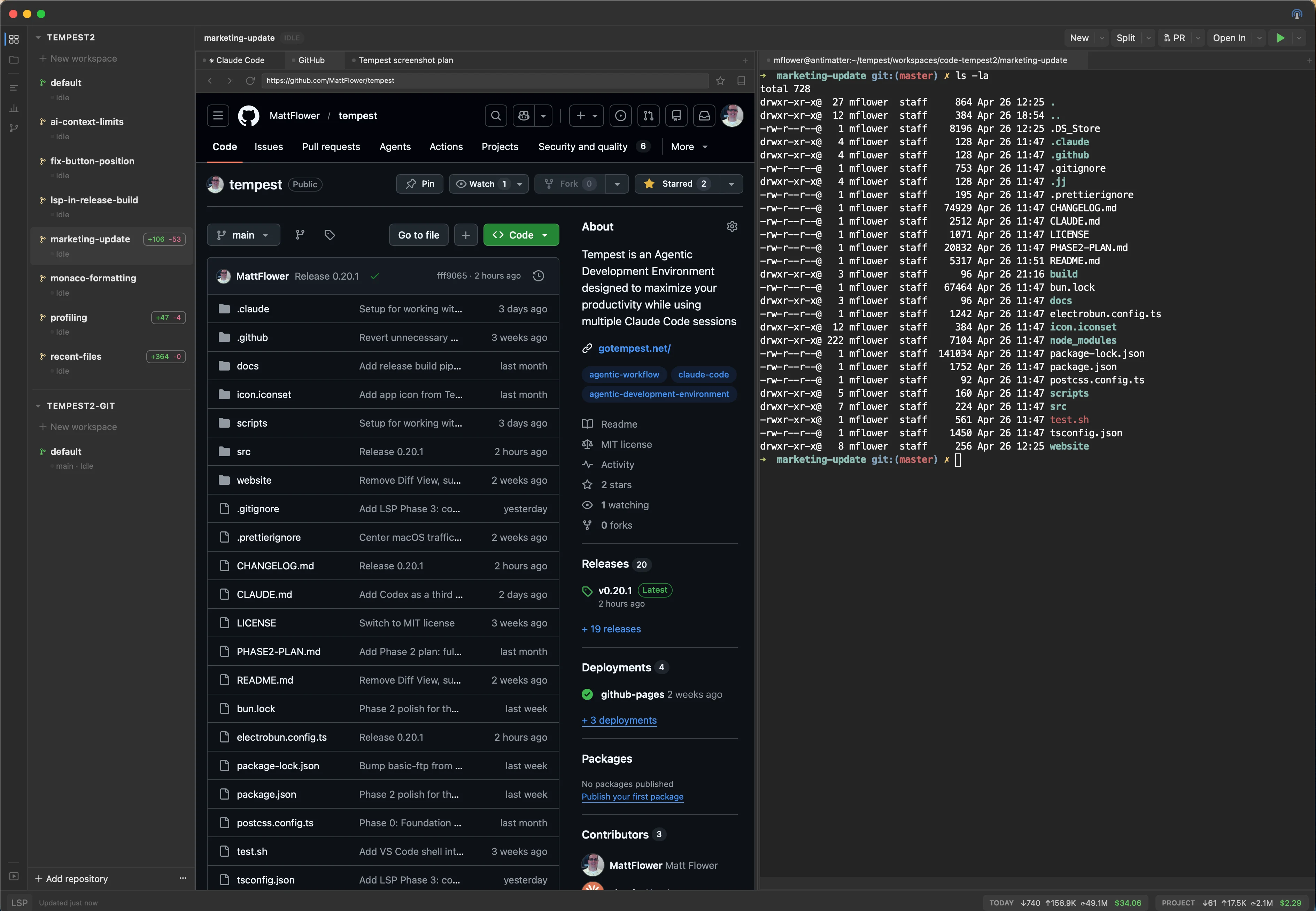
Tempest brings your AI coding agents, terminal, editor, browser, and version
control into a single native workspace — with the integration plumbing already
done for you.
⚙
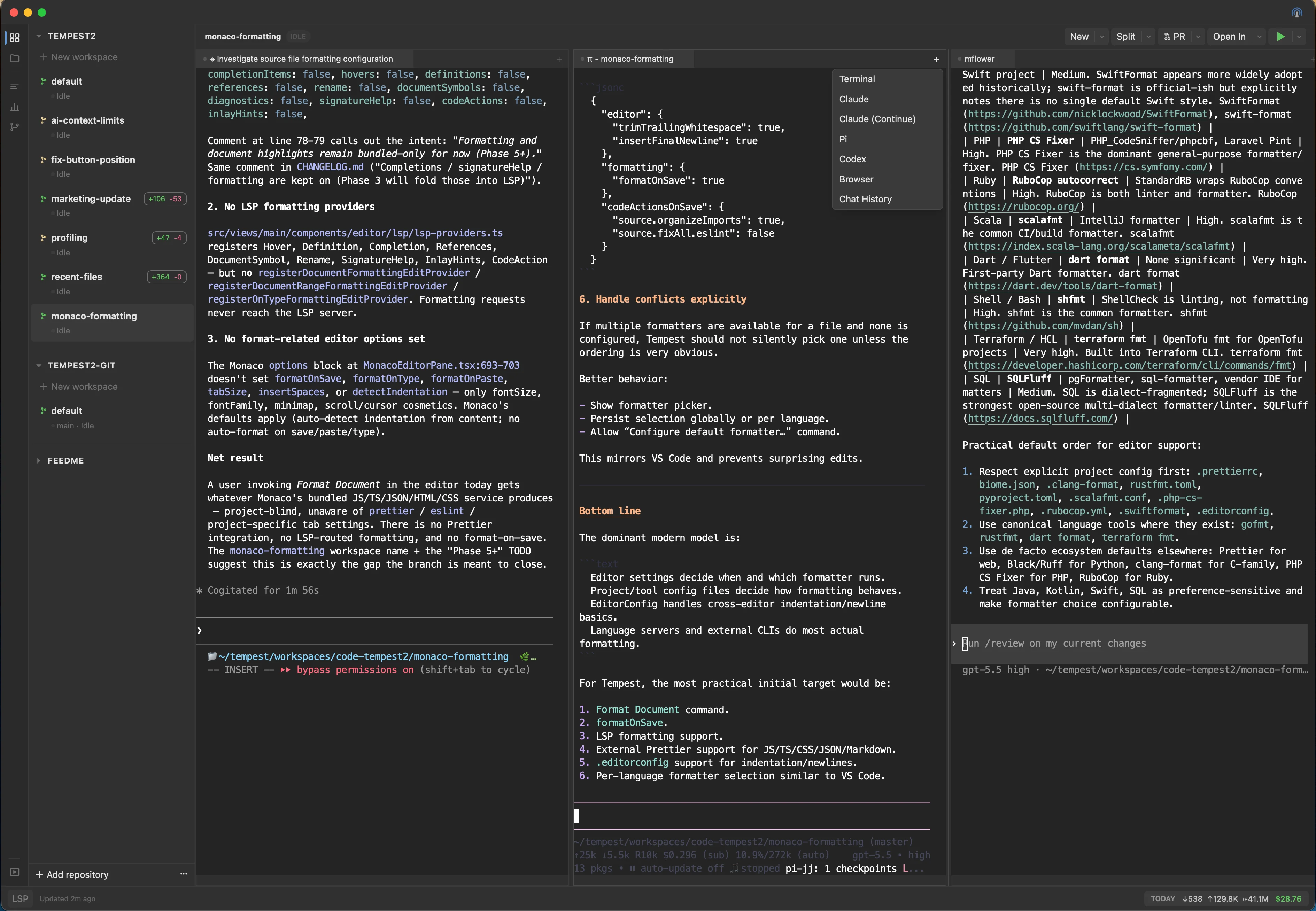
Three coding agents, one window
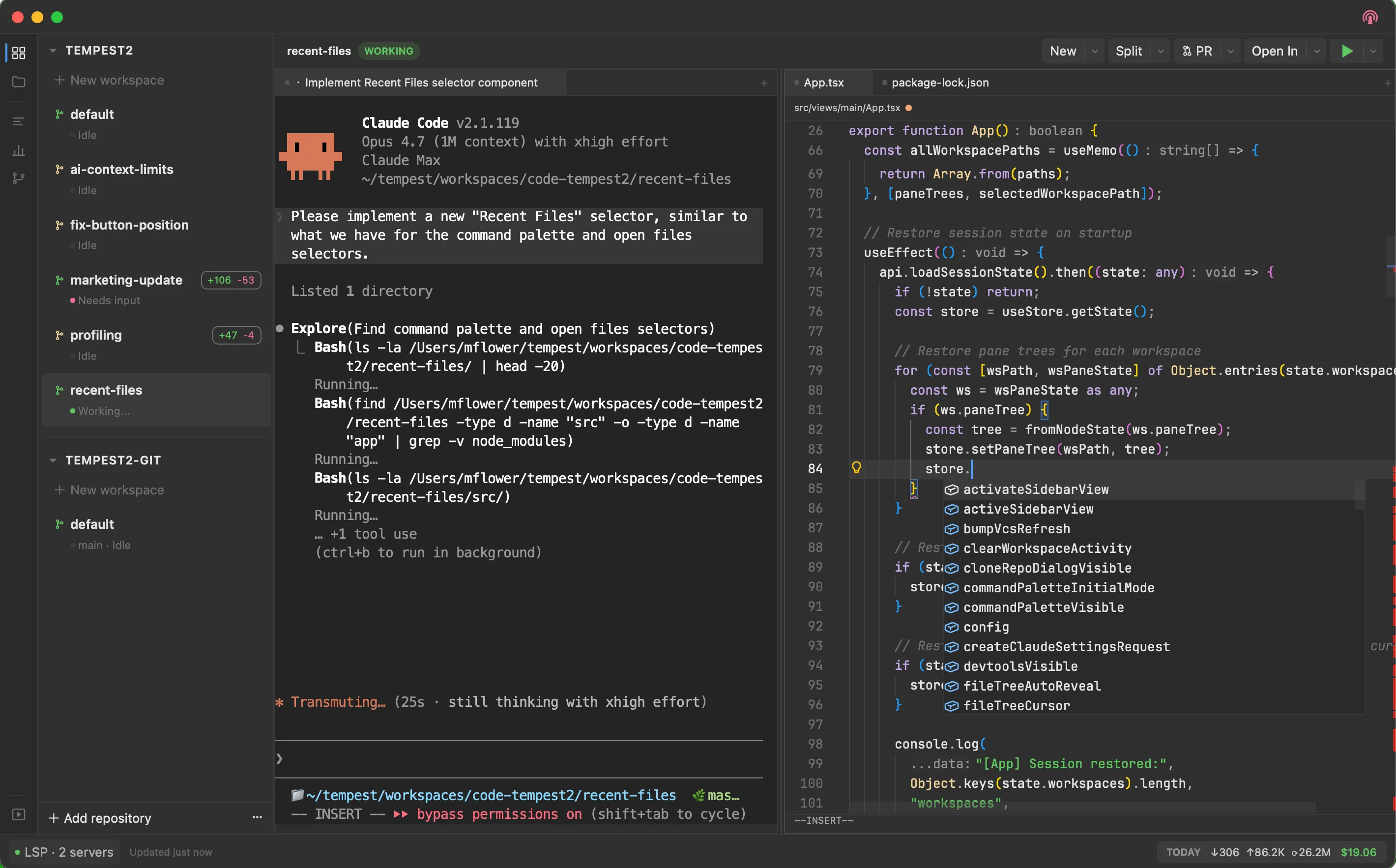
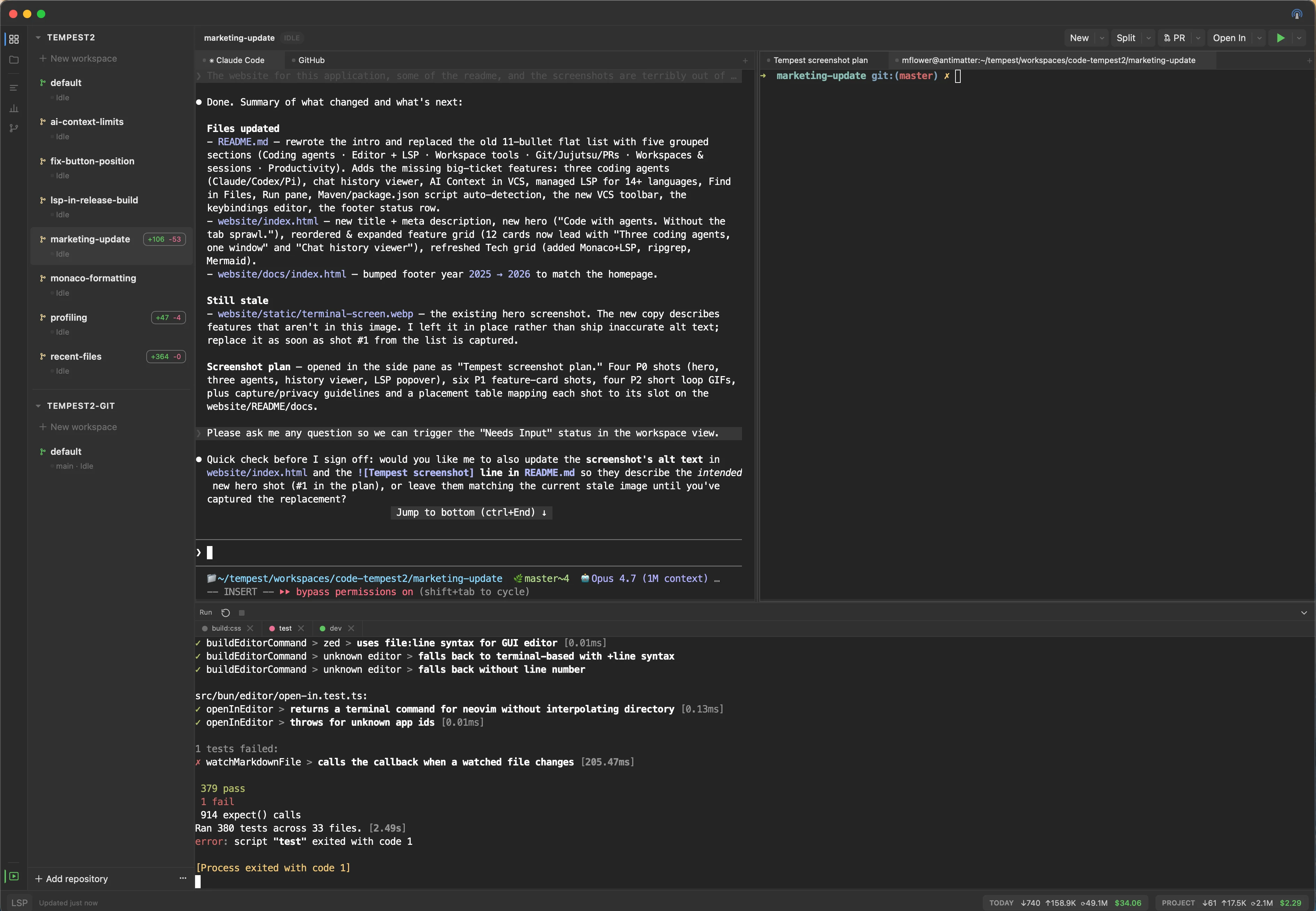
Claude Code, OpenAI Codex, and Pi all run as native tabs. Tempest auto-resumes each agent's prior session on restart, and per-workspace dots tell you whether the agent is working, waiting on input, or idle.
♾
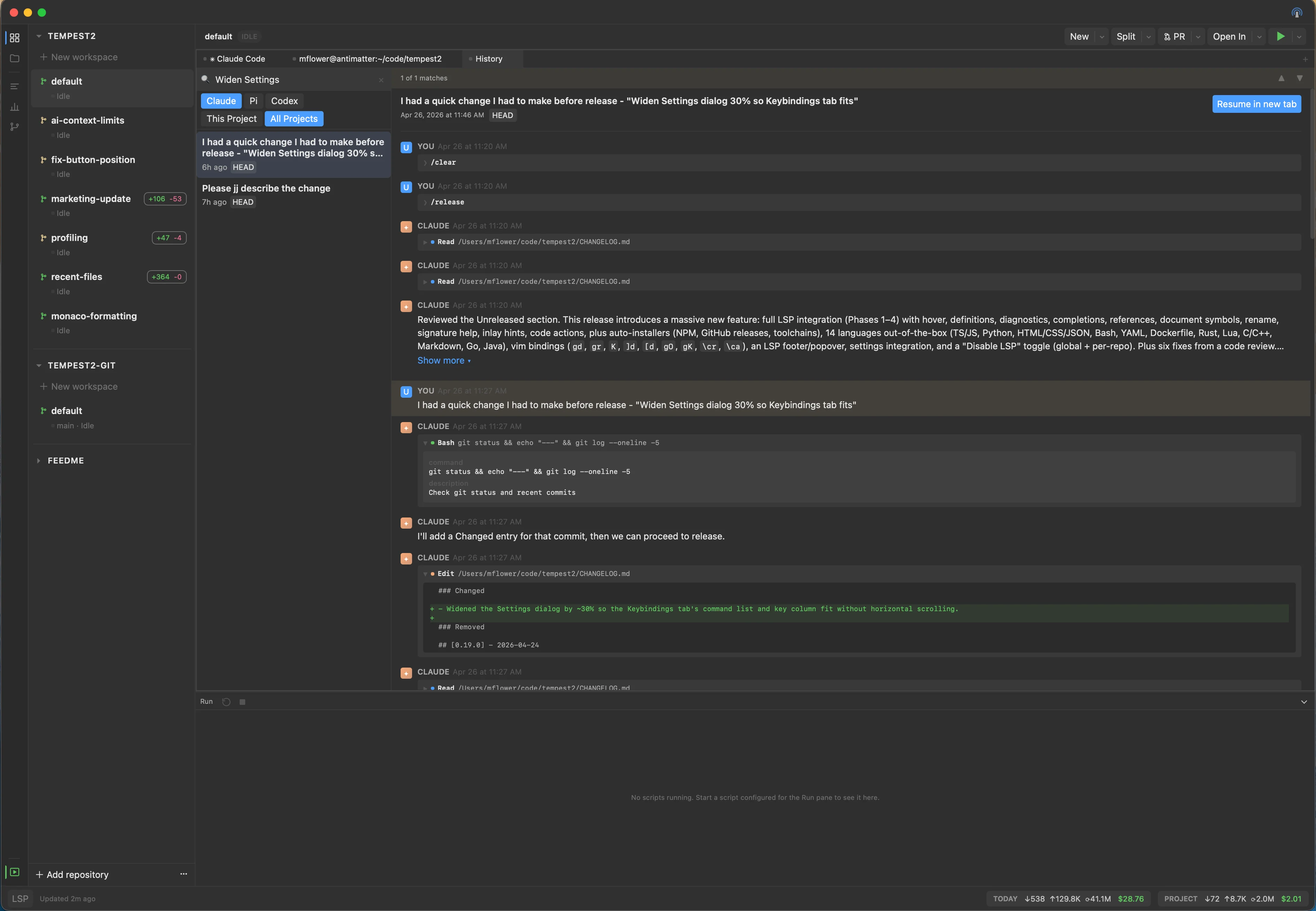
Chat history viewer
List, full-text search, and view past sessions across Claude, Codex, and Pi. "Resume in new tab" relaunches any session in place — no copying conversation IDs around.
⌨
Terminal
xterm.js with WebGL rendering and a real PTY backend via Bun.Terminal. Fast, full color, full Unicode. Cmd+click any URL to open it in a Browser pane next to the terminal.
✎
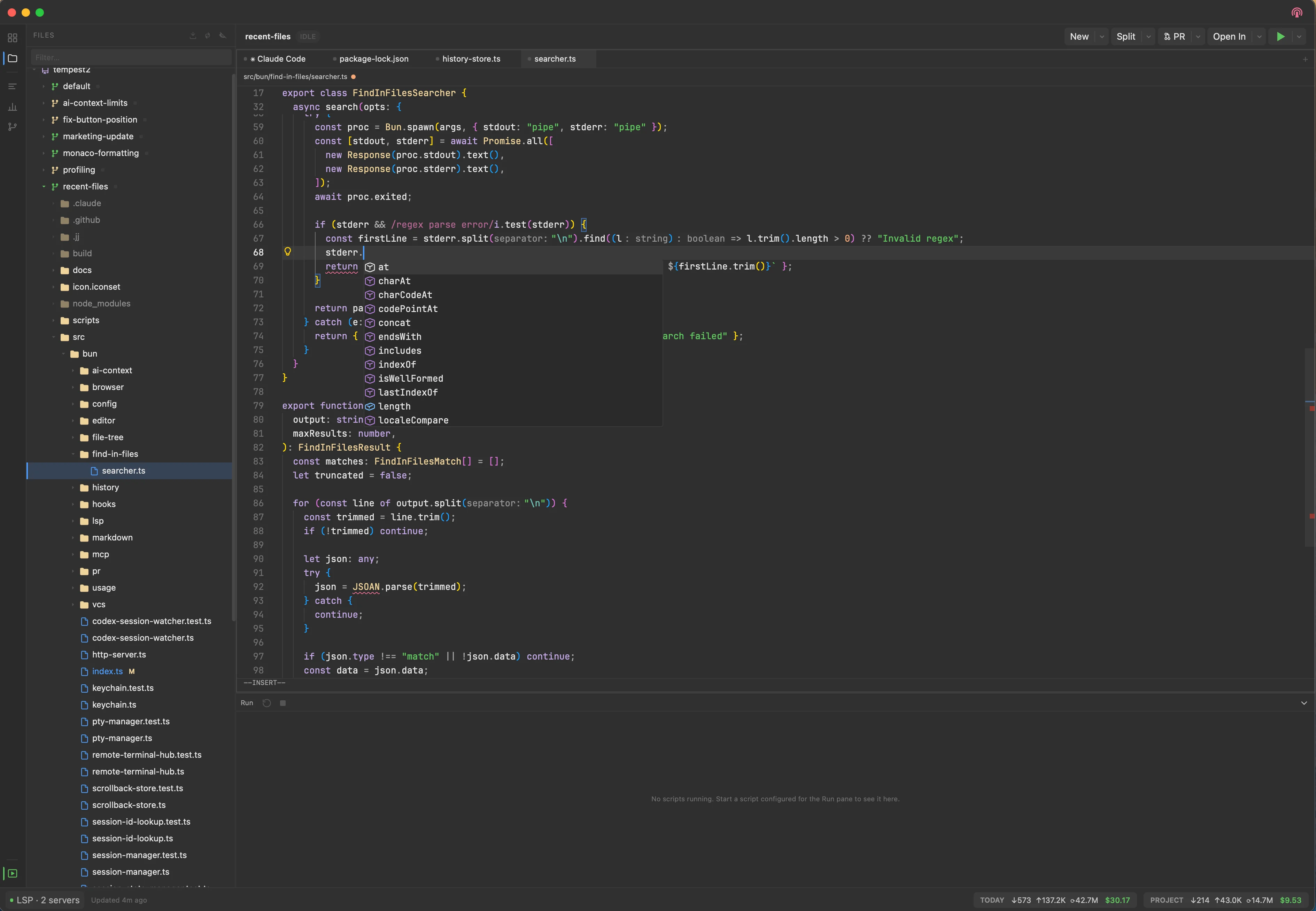
Editor with managed LSP
Monaco with Vim bindings, plus auto-installed language servers for 14+ languages (TypeScript, Python, Rust, Go, C/C++, Java, and more). Hover, definitions, refs, rename, completions, code actions — out of the box.
☍
Browser
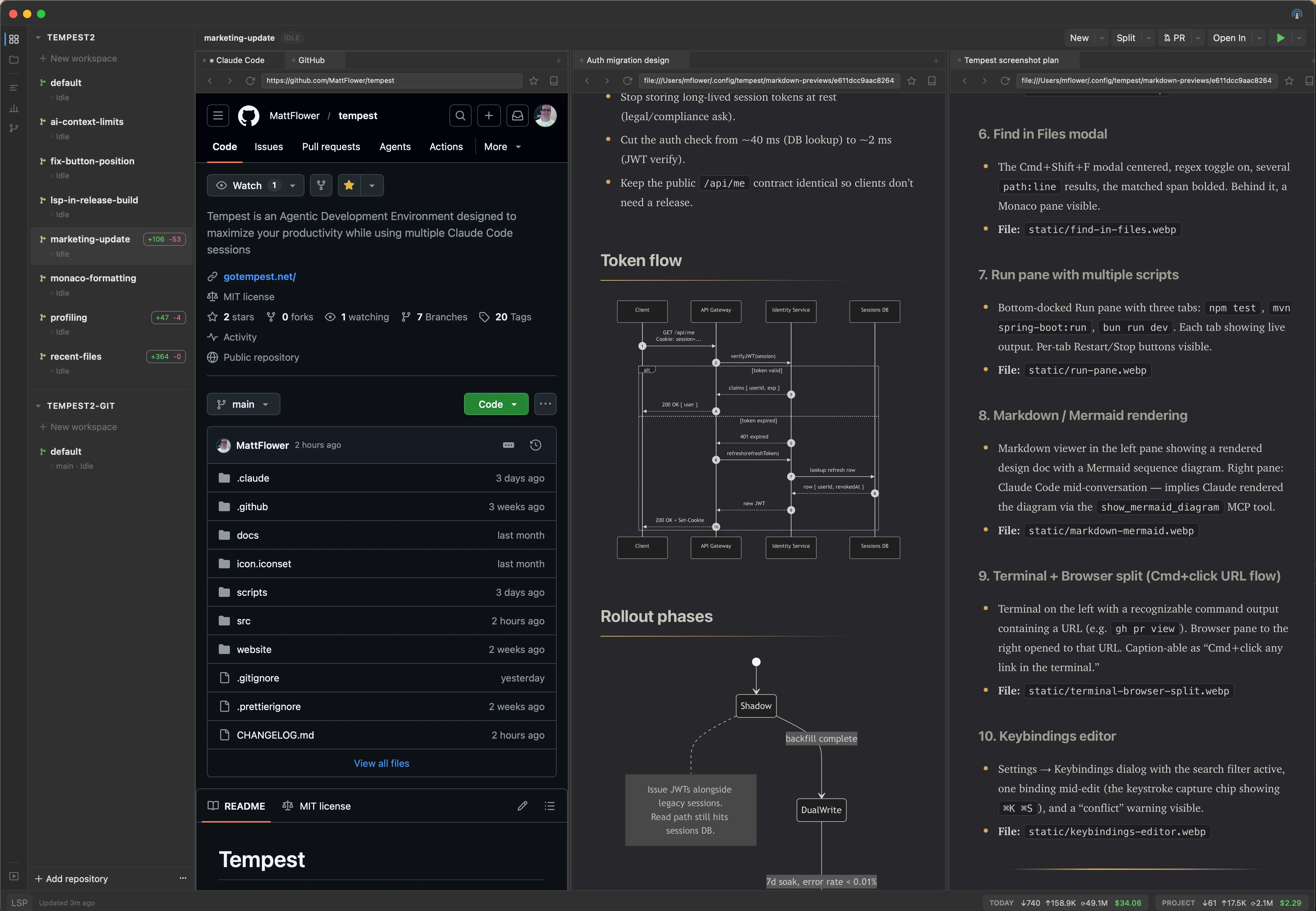
Tabbed browsing powered by the system WKWebView. Read docs, preview your work, and zoom inside the page without leaving the workspace.
⥂
Git & Jujutsu integration
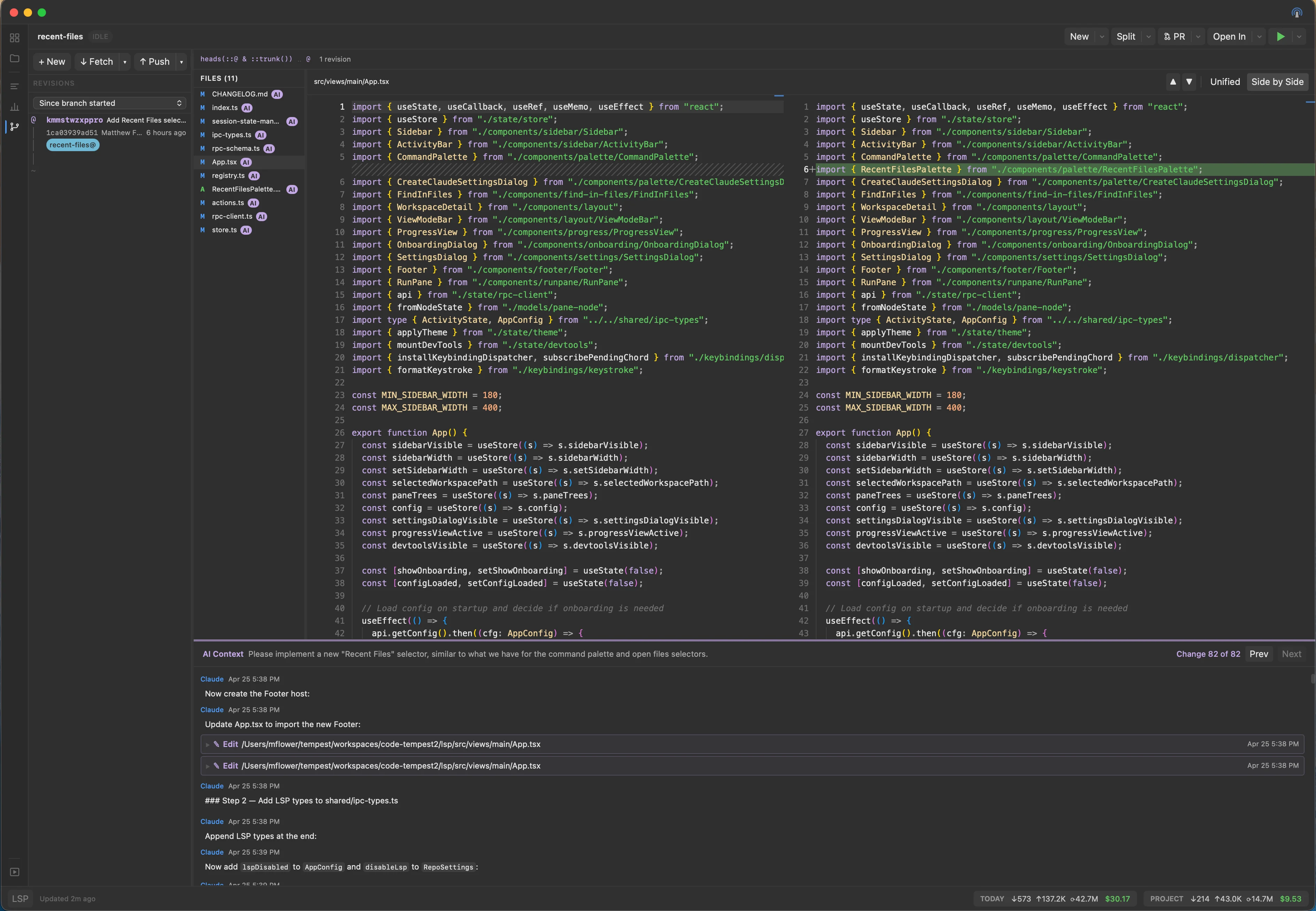
Diff viewer, status, staging, and a full Pull / Push / Merge / Rebase toolbar that works in both Git and Jujutsu repos. AI Context shows which agent edited each file.
✓
PR monitor
Track and review pull requests directly in your workspace. Stay on top of reviews without context-switching to the browser.
◫
Workspaces
One workspace per task — each with its own terminals, browser tabs, agents, and sessions. Create, archive, and switch with full state restore, including terminal scrollback.
🔍
Find in Files
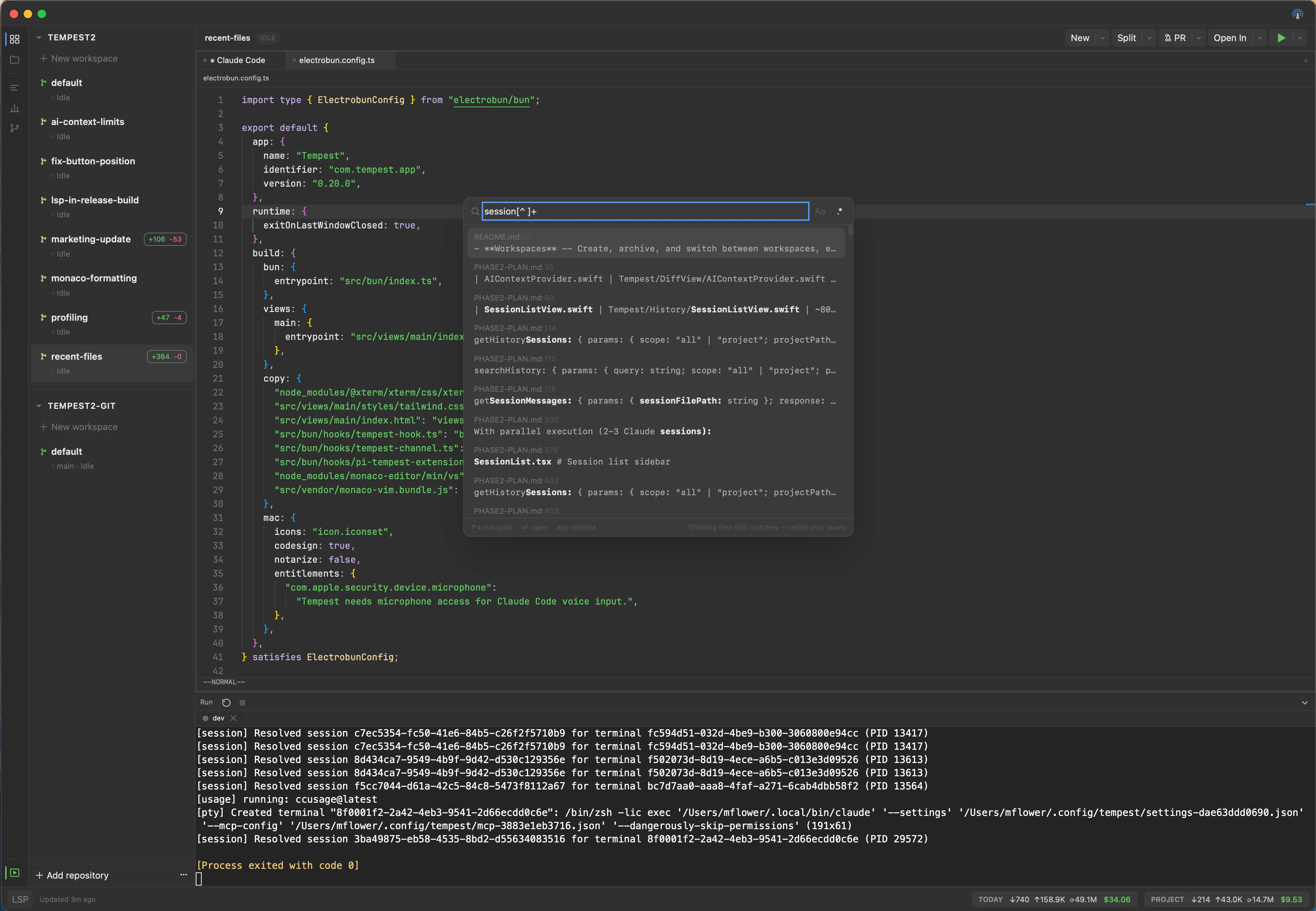
Cmd+Shift+F opens a ripgrep-backed search across the workspace, with regex and case toggles. Enter jumps straight to the match in the editor or markdown viewer.
▶
Run pane & scripts
Dockable bottom pane for long-running scripts — auto-detected from package.json and pom.xml, or fully custom. Each script runs in a PTY-backed tab and survives workspace switches.
≡
Markdown & Mermaid
Live-rendered Markdown with Mermaid diagrams and Cmd+F find-in-page. Tempest's MCP tools also let agents render markdown, mermaid, and full HTML pages directly into a side pane.
⌘
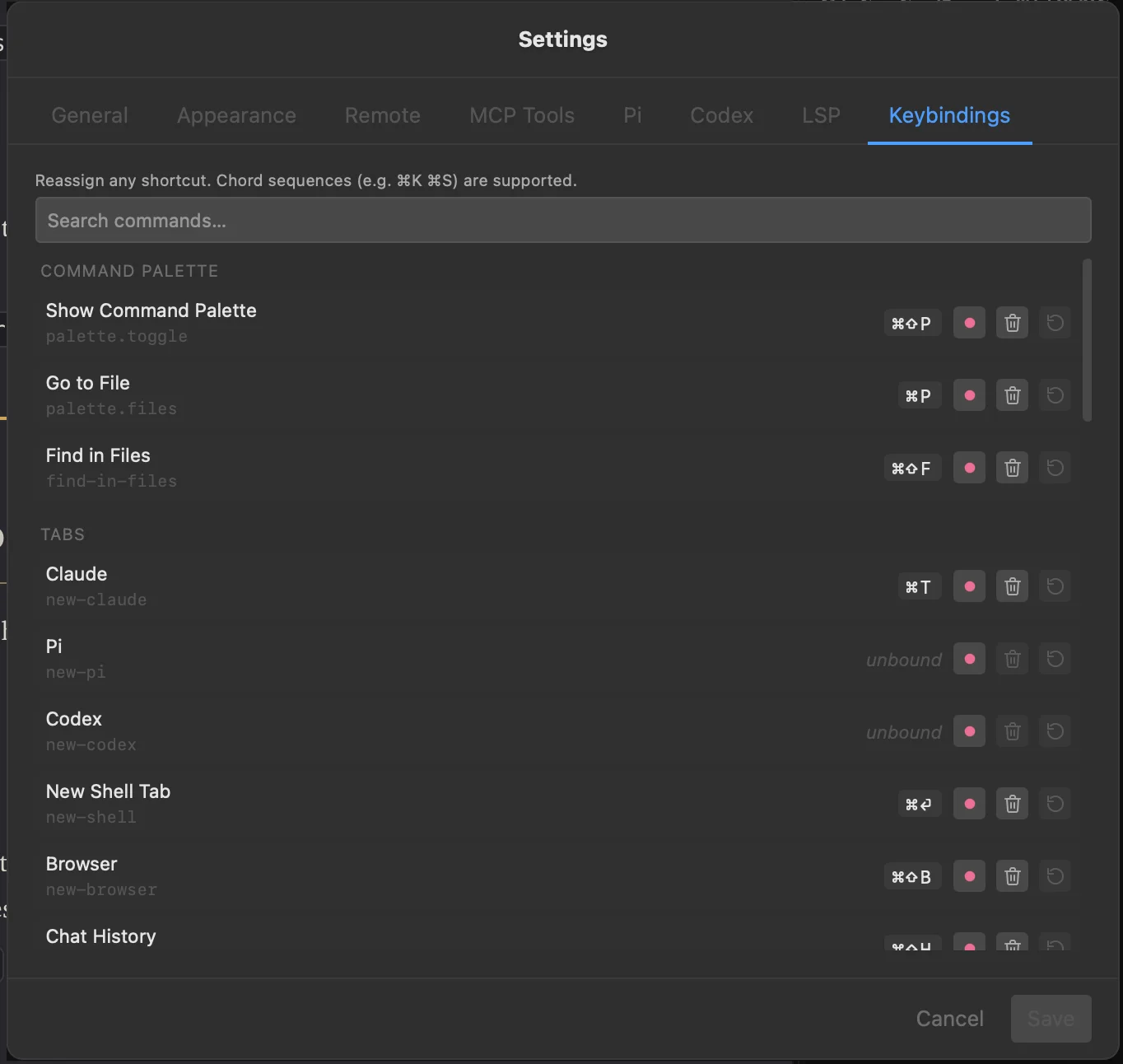
Palette & keybindings
Cmd+Shift+P for commands, Cmd+P for files, arrow keys to target left or right pane. Every shortcut is reassignable from Settings, including chord sequences like ⌘K ⌘S.
📱
Remote control
Optional HTTP server with bearer-token auth, a web dashboard, and a QR code for easy mobile pairing — check status or trigger commands from your phone.